Your business on every document
Add your company details, logo and payment instructions to quotations and invoices.
For small service businesses
Customers, quotations, jobs and invoices belong to the same story. JobTally keeps them connected, so your team can see what needs attention next.
A guided product preview by Manra Consultants.
Customer → Quotation → Job → Invoice
Record payments received outside JobTally against an issued invoice.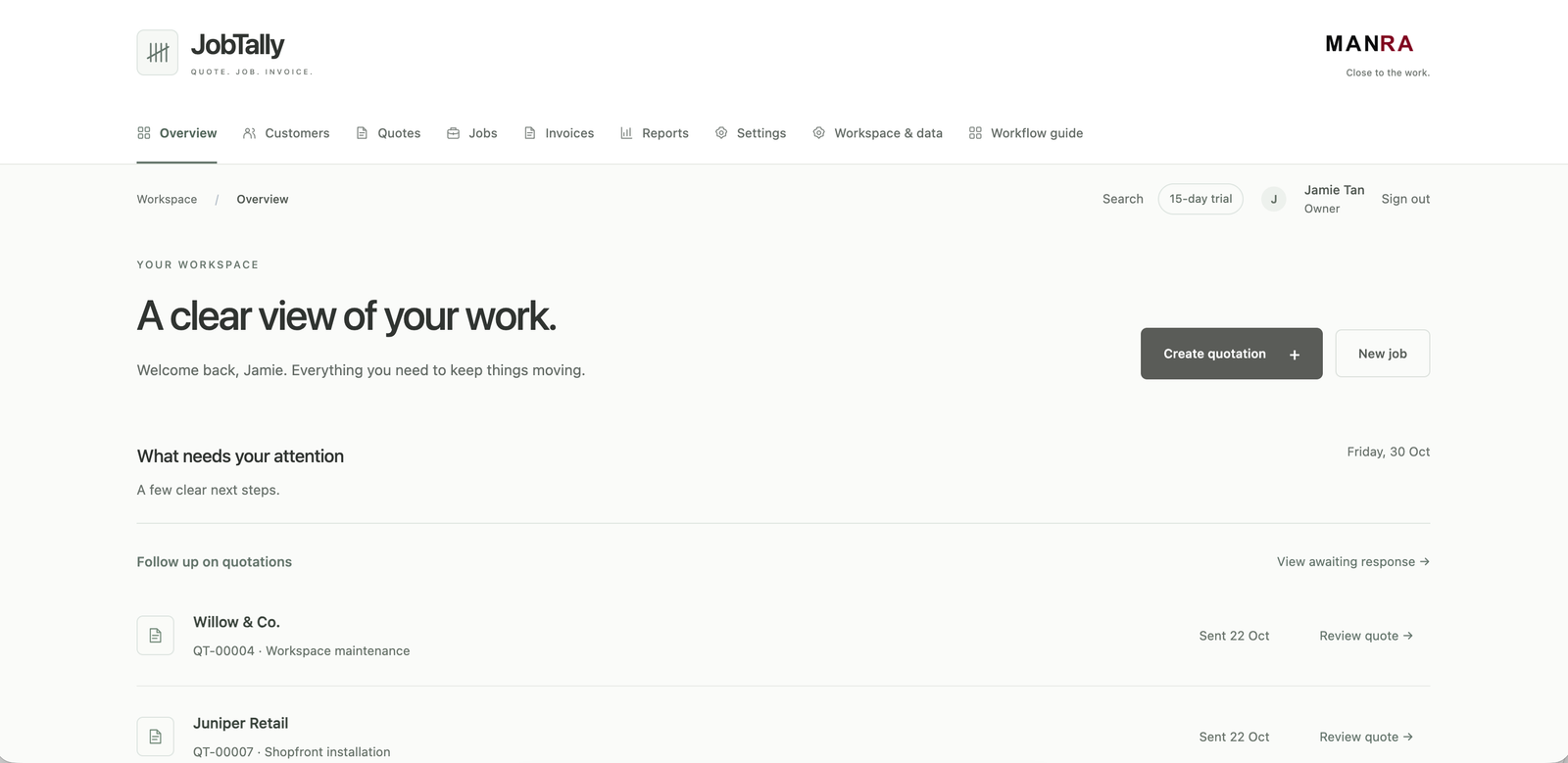
The daily picture
When customer details, quotations and job notes live in different places, even a simple update can take time to piece together.
JobTally gives each question a place to start.
The product film
Follow a fictional service job through its quotation, team work and invoice. The final payment is received by the business and recorded manually in JobTally.
How it works
Follow the work from the first customer conversation to the invoice, without losing the details agreed along the way.
Keep contact details, past quotations, jobs and invoices together in one customer history.
Prepare clear line items and terms, share a branded PDF and track the response or a later revision.
Turn an accepted quotation into a job, assign a team member and keep progress notes and private attachments with the work.
Create the invoice from the agreed work, see what remains outstanding and manually record payments received.
What it includes
A practical workspace for a small team, built around the same customer and job records.
Add your company details, logo and payment instructions to quotations and invoices.
Assign work to team members and give owners, administrators and staff the access that fits their responsibilities.
Keep job updates and private photo or PDF attachments with the relevant work, rather than searching through separate threads.
Review issued invoices, manually recorded receipts and reports on outstanding amounts.
A clear boundary
JobTally lets you note payments your business has received against issued invoices. It does not collect, transfer or verify money. Customers pay your business outside JobTally.
See it with your own workflow
Tell us how your business currently moves from a quotation to a completed job and invoice. We’ll walk through the relevant JobTally steps using fictional demonstration records.
Request a guided demoPractical questions
Small service businesses that manage customer quotations, jobs and invoices through a straightforward, connected workflow.
No. Your business receives payments through its usual channels. JobTally lets an authorised team member manually record what was received against an issued invoice; it does not move or verify money.
Yes. You can add business details and a logo to the quotations and invoices you prepare.
Yes. JobTally supports team members with different responsibilities and access.
JobTally is currently available as a guided product preview. We’ll discuss availability and the preparation needed before any customer rollout.
JobTally by Manra Consultants
See how your customer, quotation, job and invoice can fit together.
Request a guided demo